How to Choose the Right Industrial PC?
Choosing an Industrial Pc starts with the job it must perform, not a processor number on a product sheet. A controller beside a packaging line faces a different workload from a fanless computer in a vehicle. Heat, vibration, dust, and limited cabinet space can shape the decision before software features do. Small details count. A connector that is difficult to reach can slow maintenance, while an unsuitable mounting method may complicate installation.
A practical selection process compares the operating environment, computing load, interfaces, and support requirements. Check the expected temperature range and vibration exposure against the manufacturer’s specifications. Then list the devices the system must connect to, such as cameras, sensors, or displays. Confirm that the required serial, Ethernet, USB, or expansion ports are available. Also review power input, storage type, operating system compatibility, and how long replacement parts are likely to remain available. These checks help narrow choices without treating any single specification as decisive.
Testing matters. If possible, evaluate the computer with the actual application and peripherals before deployment. A unit that performs well on a desk may behave differently inside a warm, crowded enclosure. That part is easy to overlook. Even a careful shortlist may need revision when wiring, airflow, or maintenance access becomes clear. The right Industrial Pc is therefore the one that meets real site demands reliably, with enough capacity for planned needs but without paying for features the installation will never use.
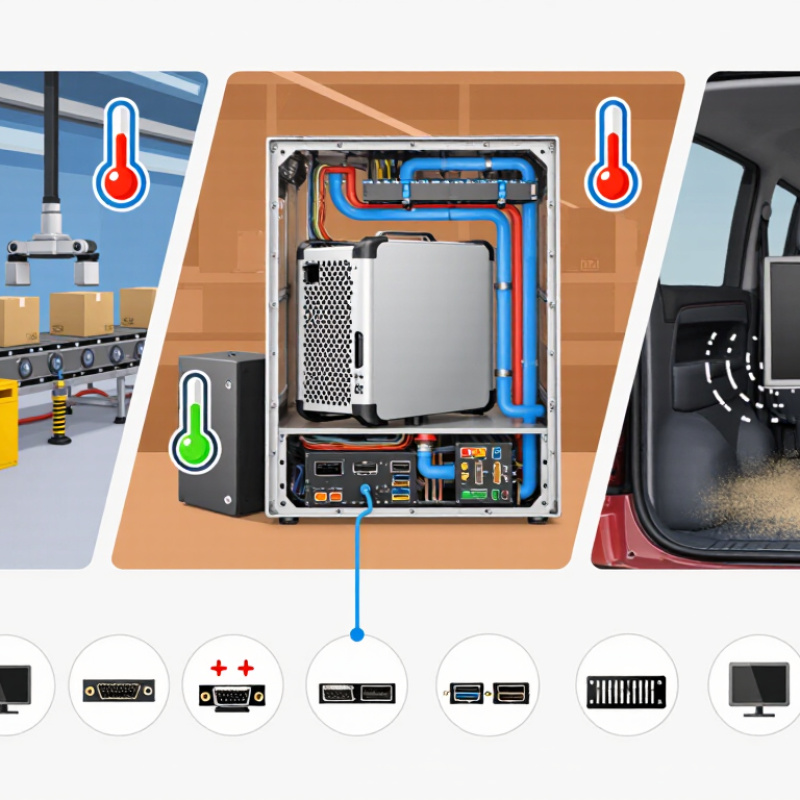
Define the Industrial PC’s Intended Role and Operating Environment
Define the industrial PC’s role before comparing processors or ports. A machine vision station may need fast image processing and several camera interfaces. A line-side controller may value stable communications, predictable restart behavior, and long service life more. Note required software, data connections, and recovery steps. Heat matters. Dust gets everywhere.
Then map its environment: cabinet temperature, vibration, moisture, airborne particles, electrical noise, and available space. Check the full operating-temperature range, ingress protection, shock and vibration ratings, and cooling method against actual site conditions. A fanless unit can reduce dust intake, but may still overheat inside a sealed cabinet. A catalog rating alone can mislead; measure cabinet temperature during a real production cycle. Uptime Institute’s 2024 outage analysis found that 54% of respondents said their latest significant outage cost more than $100,000. The survey concerns data centers, not factories, but it underscores why recovery needs belong in equipment planning.
Tips: Write down the PC’s job, worst-case ambient temperature, and required uptime before selecting a model. Test a sample in its intended enclosure, with production software running. Recheck assumptions after installation; site conditions are rarely as tidy as drawings suggest.
Match Processing, Memory, and Storage to Application Demands
Start with the workload, not the processor label. A vision station checking 30 frames per second needs sustained compute throughput; a temperature historian needs less processing but dependable writes. Gartner forecast in 2018 that 75% of data would be created and processed at the edge by 2025. That was a forecast, not a sizing rule. Still, it shows why local processing matters when network links are slow or intermittent.
Size memory for peak load, not an average shift. Include the operating system, applications, camera buffers, and simultaneous tasks. If memory runs short, dropped frames or delayed controls may appear before an obvious crash. IDC’s 2018 Global DataSphere forecast projected 175 zettabytes of worldwide data creation in 2025. That broad estimate is not a plant’s storage target. Measure how much data the application must keep, and for how long.
For storage, estimate daily writes and retention time, then check drive endurance and performance under sustained logging. A machine recording high-resolution images needs a different capacity plan from one storing brief sensor histories. Allow room for growth, but avoid buying capacity without a retention need. Test the real load. I would leave some headroom, though the right amount is easy to overestimate; validate it with peak-load testing before deployment.
How to Choose the Right Industrial PC?
Match Processing, Memory, and Storage to Application Demands
Representative RAM planning baselines: HMI and control: 8 GB; machine vision: 16 GB; edge analytics: 32 GB; AI inference: 64 GB. These are practical starting points, not universal minimums. Also size the processor for workload and concurrency, and choose SSD capacity for the operating system, applications, data retention, and required write endurance.
Select a Form Factor, Mounting Style, and Expansion Options
Choosing an industrial PC starts with its installation envelope, not its processor. A compact fanless unit can fit a narrow machine bay; a panel PC keeps the screen and computer together at the operator station. For dusty lines, verify protection for the complete installation, including connectors and cable glands. An enclosure rating alone can mislead. DIN-rail mounting suits control cabinets, while wall or VESA mounting may improve service access. Measure airflow clearance, door swing, and cable bend radius before ordering.
Plan expansion around actual signals and likely upgrades. Count Ethernet ports, serial interfaces, digital I/O, storage bays, and PCIe slots. Reserve a spare connection when practical. Gartner’s 2018 forecast projected that 75% of enterprise-generated data would be created and processed outside traditional centralized data centers by 2025. It was a forecast, not a guarantee; still, it highlights why local processing can matter. Not every machine needs a large PC. Extra slots add cost and heat. This trade-off is easy to underestimate.
Tips: Sketch the cabinet and mark mounting holes before comparing units. Check operating-temperature and vibration limits in the datasheet. Leave an expansion path if more sensors are likely. Small details matter.
Check Compatibility, Lifecycle Support, and Total Cost of Ownership
How to Choose the Right Industrial PC?
Choosing an industrial PC starts with the machine it must control, not its processor speed. Match its operating system, interface ports, and expansion slots to existing equipment. Check temperature ratings, vibration tolerance, mounting, and power requirements against the actual site. A cabinet beside a furnace has different needs from a clean control room. Confirm that drivers and software work with the chosen operating system. Small details matter.
Lifecycle support and total cost of ownership deserve equal attention. Ask how long the unit, replacement parts, firmware, and operating-system drivers will remain supported. Confirm repair times and whether a replacement can run the same configuration. Uptime Institute’s 2024 Annual Outage Analysis found that 54% of surveyed organizations’ most serious outages in the prior three years cost more than $100,000. The survey concerns data centers, not factory PCs, but it shows how costly interruptions can become. Compare purchase price with energy use, maintenance, spare inventory, integration labor, and the cost of production downtime. A neat spreadsheet may still miss the disruption of changing software.
Tips: Before buying, record every required port and environmental limit. Request a written support-life estimate and repair-time commitment. Test one unit with your actual software and peripherals; compatibility claims can look convincing until a legacy device refuses to connect.